Self-custody Bitcoin,
now on your Windows PC.
A downloadable, non-custodial Bitcoin wallet for Windows that you run on your own computer. You hold your keys and recovery phrase. We never do.
One-time license · One computer · Windows x64
Secure checkout by Stripe. We never see or store your card details.
What is TZUR Wallet for Windows?
TZUR Wallet for Windows is a non-custodial, Bitcoin-only wallet for Windows 10 and 11 (64-bit). It brings the same recovery phrase in 31 native languages and the built-in BlockSight explorer to your PC, and every transaction is signed locally on your machine. You pay once and own it, with no subscription.
$59.99USD
One-time purchase. Not a subscription. No recurring charges.
- Non-custodial. Your keys and recovery phrase stay on your device.
- One-time purchase. Not a subscription, no recurring charges.
- License for one computer.
- Windows 10 and 11 (64-bit) installer (.exe).
- Bitcoin only. BIP-39, BIP-32, BIP-84, Native SegWit, Taproot send.
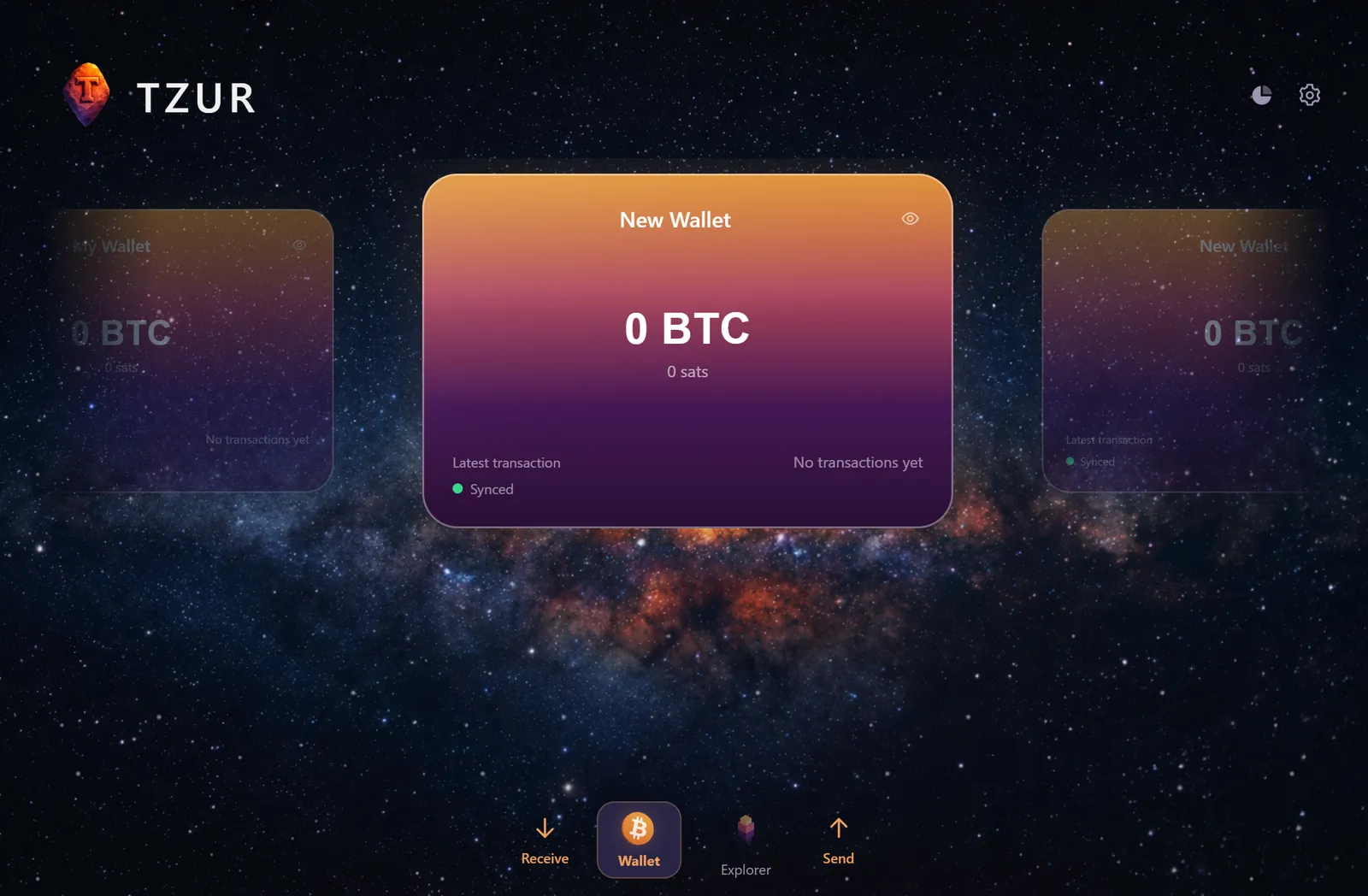
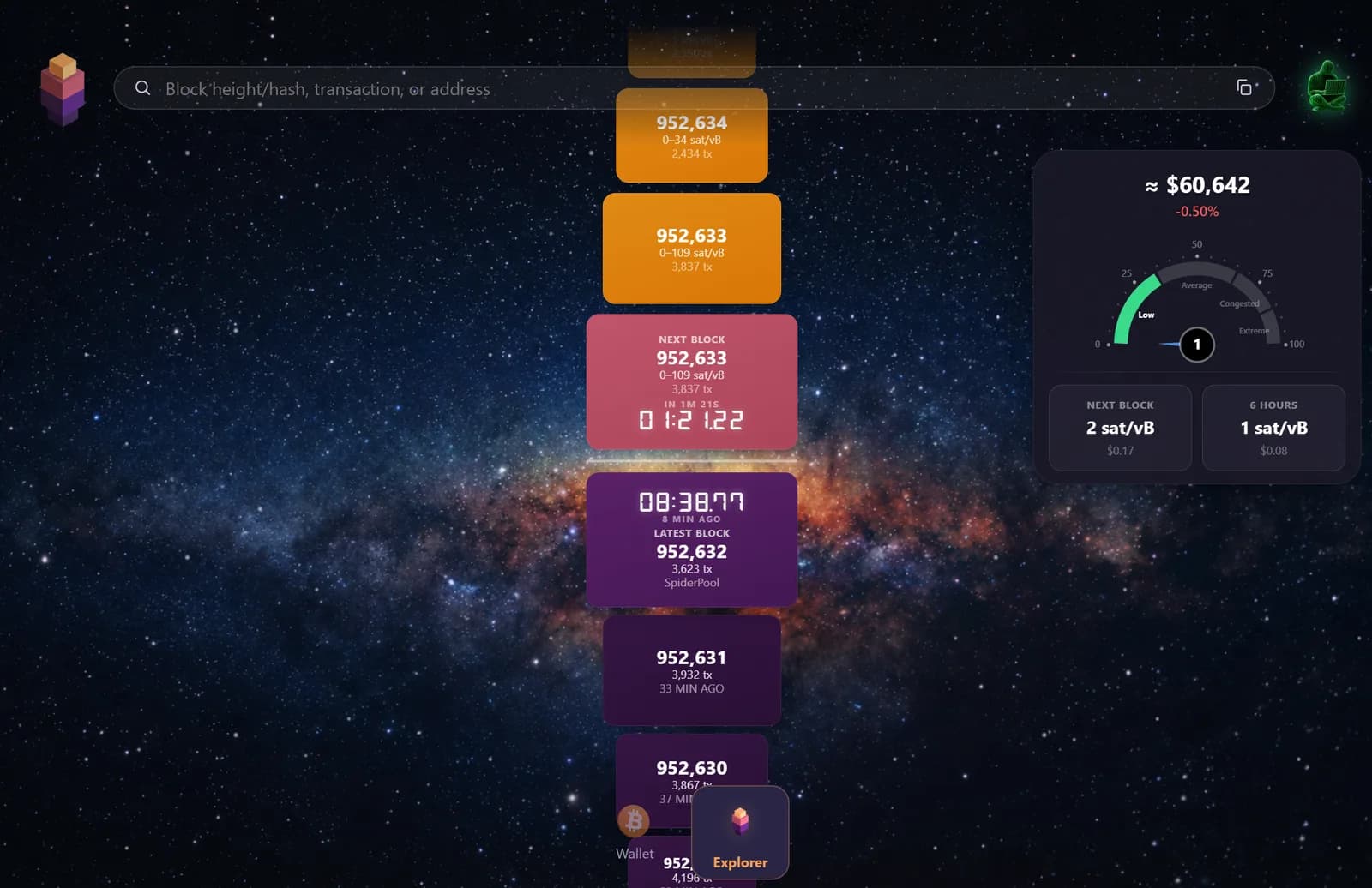
A look at TZUR Wallet Desktop
Your Bitcoin and a built-in BlockSight explorer, running on your own Windows PC.
Everything TZUR Wallet Desktop can do
A full self-custody Bitcoin wallet for Windows, with a built-in BlockSight explorer and the controls power users expect.
Send and receive
Send and receive Bitcoin with QR scanning, BIP-21 payment links, and address validation on every transaction.
Up to 3 wallets
Create and keep up to three separate wallets on one computer, each with its own balance and history.
Back up and restore
Back up your recovery phrase and restore your wallet on this or any other computer whenever you need to.
Works with any BIP-39 wallet
Your recovery phrase is standard BIP-39, so it restores in any other BIP-39 wallet, and you can restore other BIP-39 wallets in TZUR.
Recovery phrase in your language
See your BIP-39 recovery phrase in your own language and in English, with the English words as your universal backup.
31 languages
Use the entire wallet in 31 languages, fully localized end to end.
75 fiat currencies
Show your balance in up to three of 75 fiat currencies at the same time.
Passphrase wallets
Add a BIP-39 passphrase to open hidden, passphrase-protected wallets on top of your recovery phrase.
Watch-only wallets
Track an xpub as a watch-only wallet to follow balances without ever exposing your private keys.
Native BlockSight explorer
Browse Bitcoin blocks, transactions, and addresses in a built-in explorer tab, without leaving the wallet.
Send analysis
Review fees, inputs, and outputs in a clear analysis before you sign and broadcast a transaction.
UTXO structure
See the UTXO structure behind your balance and understand exactly how your coins are held.
Manage addresses
Generate and manage your receive addresses and see which ones currently hold funds.
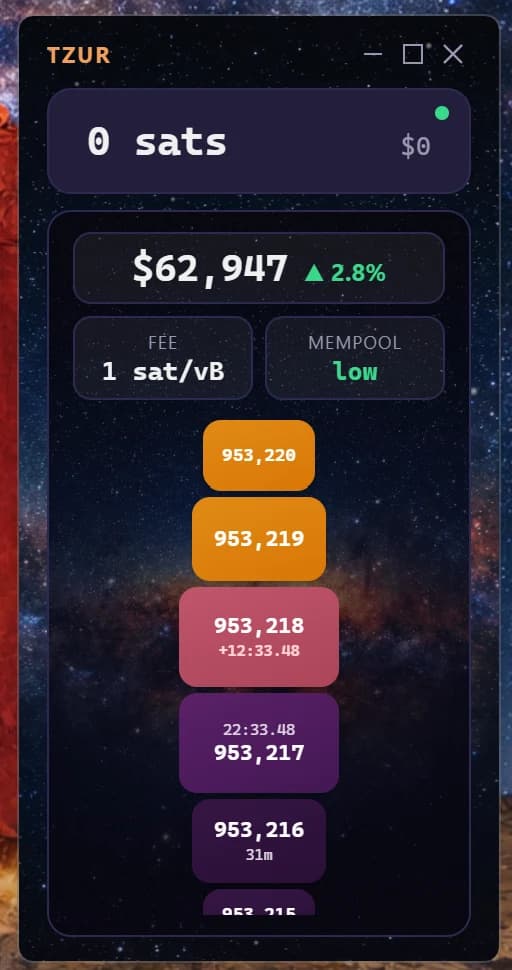
TZUR Mini widget
Minimize the wallet to a compact, always-on desktop widget with your balance and live fees.
Bitcoin only. On purpose.
TZUR Wallet Desktop is self-custody software, not an exchange. It deliberately leaves out everything that is not Bitcoin, so there is less to go wrong and nothing standing between you and your coins.
- No swaps or conversions
- No buying or selling
- No staking or yield
- No altcoins or shitcoins
- No tokens or NFTs
- Not an exchange, broker, or custodian
Always on, never in the way
Shrink TZUR to a compact desktop widget that stays out of your way. Your balance, the current fee rate, mempool load, and the live BlockSight block timeline, all at a glance, without opening the full wallet.
Pay by card
Secure checkout powered by Stripe. You are redirected to a Stripe-hosted page. We never see or store your card details.
Pay with Bitcoin
On-chain Bitcoin payment is launching soon. Your download unlocks automatically once the payment confirms on the network.
Your keys never leave your device.
TZUR Wallet Desktop generates and stores your private keys and recovery phrase locally on your computer. BlockSight OÜ does not hold, access, or recover your keys, recovery phrase, or bitcoin. You are in sole control of your funds.
One wallet family. iPhone, Android, and Windows.
The same Bitcoin-only, self-custody wallet, in your language, on the devices you use every day.
| Feature | TZUR for iOS | TZUR for Android | TZUR for Windows | TZUR for Agents |
|---|---|---|---|---|
| Self-custody. Your keys on your device. | Yes | Yes | Yes | Yes |
| Bitcoin only, Native SegWit (BIP-84) | Yes | Yes | Yes | Yes |
| Recovery phrase in 31 languages | Yes | Yes | Yes | Yes |
| Platform | iOS 18.6+ | Android 9.0+ | Windows 10 and 11 (64-bit) | Windows 10 and 11 (64-bit) |
| Price | $59.99 one-time | $59.99 one-time | $59.99 one-time | $119.99 one-time |
| Where to get it | App Store | Coming soon | Direct download | Direct download |
System requirements
- Windows 10 or Windows 11, 64-bit (x64)
- About 100 MB of free disk space
- Internet connection for blockchain sync
- Delivered as a standard .exe installer
After your payment
As soon as your payment is confirmed, you receive a secure, time-limited download link for the Windows installer and a license key, shown on screen and sent to your email. Run the installer to set up TZUR Wallet Desktop.
Your license activates the app on one computer. It does not connect to, and is never required to access, your recovery phrase or your funds.
Desktop questions
Which Windows versions does TZUR Wallet Desktop support?
TZUR Wallet Desktop runs on Windows 10 and Windows 11, 64-bit (x64). It is delivered as a standard .exe installer.
Is the license a subscription?
No. It is a one-time purchase. There are no recurring charges. Your license activates the app on one computer.
Can I move my wallet to a new computer?
Yes. Your bitcoin lives on the Bitcoin network, not in the license. Install the app on the new computer and restore from your recovery phrase. Contact contact@tzur.live if you need help moving your license.
Is my license tied to my keys or my funds?
No. The license only activates the software. It does not connect to, and is never required to access, your recovery phrase or your bitcoin. You stay in sole control of your funds.
Do you offer refunds?
Yes, within the period described in our Refund Policy. See the Refund Policy page for the details.
Is TZUR Wallet Desktop safe?
Yes. TZUR Wallet Desktop is non-custodial: your private keys and recovery phrase are generated and stored only on your own Windows PC, never on our servers. Keys are encrypted at rest with Windows DPAPI, tied to your Windows account, with optional hardware sealing on PCs that have a TPM. Bitcoin transactions are always built and signed locally.
How does TZUR Desktop store my private keys on Windows?
Your recovery phrase is encrypted with Windows DPAPI, which binds the encryption to your Windows user account so it cannot simply be copied to another machine and decrypted. On PCs with a TPM, TZUR can additionally seal the key to the hardware so it never exists in exportable form. Keys are only decrypted in memory at the moment you sign a transaction.
Does TZUR Desktop support Windows Hello?
Yes. You can unlock TZUR Wallet Desktop with Windows Hello (fingerprint, face, or PIN) alongside your wallet PIN. Windows Hello is only a local unlock gesture: it never transmits biometric data and does not replace your recovery phrase, which stays your ultimate backup.
Do I need to run a Bitcoin node to use TZUR Desktop?
No. TZUR Desktop connects to Electrum servers to read balances and broadcast transactions, but it never shares your keys with them and keeps full self-custody. You do not need to run your own node, though you remain free to use your own server.
Will TZUR Desktop receive updates after I buy it?
Yes. Your one-time purchase includes future updates. The app checks for updates over HTTPS and verifies every update against an embedded signing key before installing, so a compromised server cannot push a forged build.
TZUR Wallet Desktop is non-custodial Bitcoin wallet software for Windows (64-bit), published by BlockSight OÜ. It is software only and does not provide exchange, trading, brokerage, custody, lending, staking, investment, money-transmission, payment-processing, or financial-advisory services. You control your own keys and recovery phrase. Refund Policy